How To Pack & Ship a Package

New to shipping or need a refresher? Read on for easy steps to ship with UPS.
1. Get Your Package Ready for Shipping
Follow these steps for a successful shipment.
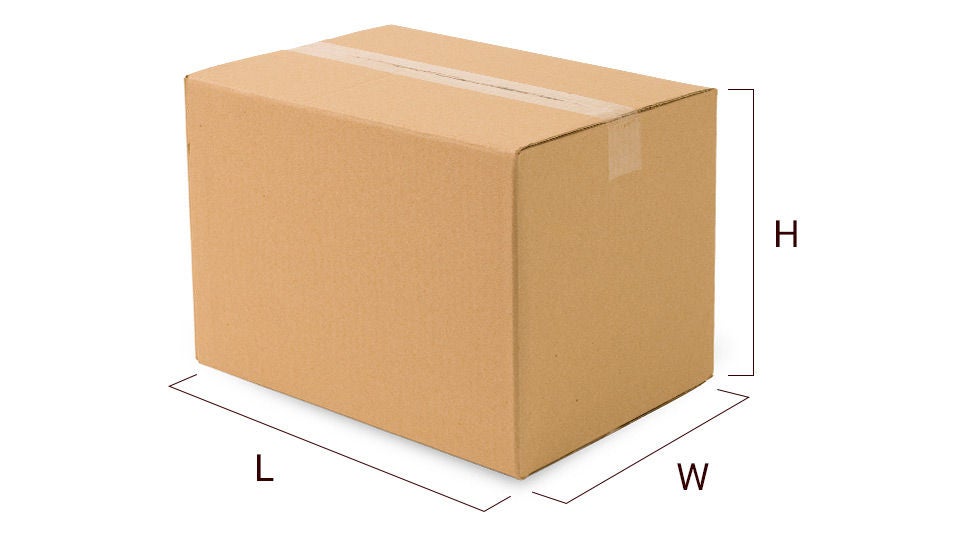
2. Measure and Weigh Your Package
Not all packages are made the same. Let us help you get the right dimensions.
Measurement & Weight FAQ
-
Packages can be up to 150 lbs and up to 108 inches long
- If your package exceeds 70 lbs, you can follow these guidelines
- Certain packages may require freight shipping services
-
If you’re using small package service, your package can be up to 165 inches in length and girth combined
- To accurately determine length and girth, use the formula: Length + 2x Width + 2x Height
-
Learn how to avoid measurement corrections charges
Already have a UPS-approved scale? Awesome! You can connect your scale to your laptop or desktop computer to help speed things up. First, update your shipping preferences to activate the scale. Sign in using the link here and mark the checkbox Weigh My Packages With My USB-Connected Scale, then click Save.
Note: UPS CampusShip users will need to update their preferences on the CampusShip site. After logging in, select Shipping Preferences on the left-hand side and click on View/Edit to expand your Shipping Options. Mark the checkbox for Use My USB Scale and finish by clicking Update.
Once you’ve set your preferences to allow for your scale, return to the Create a Shipment page and authorize the installation of a downloaded component. After completion, the package weight will show up in the weight field. The Weigh It button will then capture the current scale reading.
Download for Windows Users* | Download for Mac or Linux Users**
*If you receive a message saying your browser doesn’t support this function, run the installer (the file above). This will place the UPS Weight Scale App in the Startup folder, running the application each time you start your computer.
** To use the file above, download the .zip file and extract the script file (make sure to note what folder you extracted it to). After extracting, find and run the script file.
3. Create a Shipping Label
Print your shipping label at home or The UPS Store.
- Enter Package Origin and Destination Addresses
Be sure the addresses are correct so the package can be properly delivered. Check out our address tips on making sure your package gets where it needs to go.
- Pick Your Delivery Speed and Services
Select the service options and shipping speed that best match your delivery needs.
- Print Your Label
Choose your preferred payment method and print your label. If you need additional help, visit The UPS Store. If you need to reprint a shipping label, view your shipping history.
Shipping Label FAQ
Your domestic shipments using air services require that you use a label printed from an automated shipping system (like UPS.com) or a UPS Air Shipping Document. The ASD combines your address label, tracking label and shipping record into one form. Specific ASDs are available for:
UPS Next Day Air® Early
UPS Next Day Air (can be used for UPS Worldwide ExpressSM)
UPS Next Day Air Saver
UPS 2nd Day Air A.M.®
UPS 2nd Day Air®
You can order ASDs online on the Order Supplies page and you'll find detailed preparation instructions on the reverse side of each ASD to help you complete the form correctly.
4. Get Your Package to UPS
You’re almost done. Choose an option to get your package to UPS and we’ll do the rest.
- Schedule a Pickup
We can come to you (for an additional fee). Schedule a pickup.
- Find a UPS Location
Drop it off at a UPS location. Be sure to bring your identification.
- Hand Package to a UPS Driver
Hand the labeled package to your friendly neighborhood driver.
Special-Care Item Shipping Guides
Shipping something that needs extra attention? See our guides for best practices.
Expand Your Business
Wherever your shipments need to go, UPS has the tools and expertise to get them there.

International Shipping
From understanding paperwork to clearing customs, we’re here to guide you through the complexities of international shipping.

Flexible Shipping Services
Whether speed or saving is your priority, we have options that fit your needs.