Pickups and Drop-Off Options

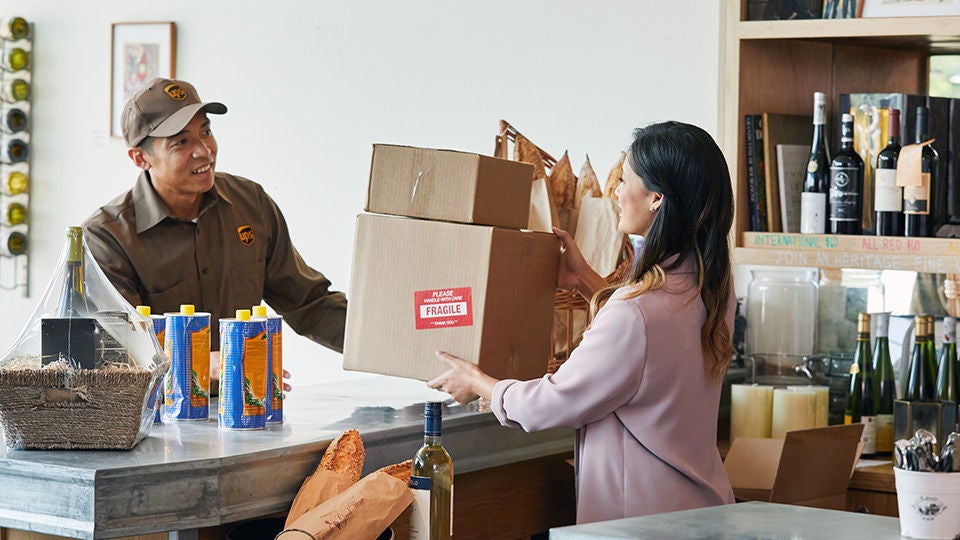
You can set up a one-time pickup or drop your package off at a nearby location—whatever works best for you. If you ship frequently, we’ve also included details about scheduling recurring pickups.
Book One-Time Pickup

View UPS Drop-off Locations

img-left

https://delivery-p55671-e392469.adobeaemcloud.com/adobe/assets/urn:aaid:aem:90ed2f27-1340-4996-ba33-6347dee7c0d0/as/pickup-dropoff-packages-B-1166486-Q421.avif?assetname=pickup-dropoff-packages-B-1166486-Q421.jpg

Smart Pickups

With UPS Smart Pickup, a pickup is automatically scheduled when you create a shipping label. Automatic pickups, only when you need it.

Learn More

Additional Recurring Pickup Options

How to Schedule a Recurring UPS Pickup

You need a UPS account to set up a recurring pickup. If you don’t an account, you can create one here.

false
Log in to Get Started
  • Step 1: Log in to Your Account

Log into your profile dashboard. If you have more than one account, select the one you’d like to add the recurring pickup to.

  • Step 2: Select Recurring Pickup

Click "Wallet" to view your Account Details. Then select "Recurring Pickup."

  • Step 3: Add Pickup Details

Fill out your preferred pickup times and driver instructions, if applicable. Click "Save."

Drop Your Packages Off

We have many convenient locations where you can drop off your packages at no additional cost.

img-left

https://delivery-p55671-e392469.adobeaemcloud.com/adobe/assets/urn:aaid:aem:702b0dc7-85ff-4f7a-8c0e-c03cd39e1b7b

  • The UPS Store: Multiple, wide-ranging services.
  • UPS Access Point: Drop-off or pickup at local businesses.
  • UPS Drop Boxes: For 24/7 drop-off.
  • UPS Customer Centers: On-site UPS operating facility.

Find a UPS Location

Protect Our Planet

Your donation will help The UPS Foundation build a cleaner, greener, more sustainable world.

Act Now

https://www.paypal.com/donate?campaign_id=UMFC9QMM6H22J